> For the complete documentation index, see [llms.txt](https://docs.laminar.run/llms.txt). Markdown versions of documentation pages are available by appending `.md` to page URLs; this page is available as [Markdown](https://docs.laminar.run/building-an-integration/step-programs.md).
# Step Programs
Once a step is created, it needs to be programmed to execute the intended task.
In Laminar, step logic can be programmed in various languages including:
* Javascript
* Python
## Step Program Format
All step programs must follow a specific function signature to ensure proper execution and data flow.
### Javascript
In JavaScript, your program must be a lambda function that accepts one argument, `data`.
```javascript
(data) => {
// Your code here to process 'data' and return an action or transformed data
return {}; // Always return an object, even if empty
}
```
{% hint style="info" %}
#### Javascript Available Libraries
lodash (as \_) **\[Pre-loaded]**
date-fns (format, parseISO functions) **\[Pre-loaded]**
{% endhint %}
### Python
In Python, your program must be a regular function named `transform` that accepts one argument, `data`.
```python
def transform(data):
# Your logic here to process 'data' and return an action or transformed data
return {} # Always return an object, even if empty
```
{% hint style="info" %}
#### Python Available Libraries
json, datetime, math, statistics, collections, itertools, functools, re, copy, decimal, csv, io, dataclasses, typing, enum
{% endhint %}
{% hint style="warning" %}
Your program must always return a JSON-serializable object.
{% endhint %}
## Step Program Input (Global Workflow Object)
The `data` input of each step program is a ***Global Workflow Object (GWO)***.
The GWO is a special object that represents the cumulative input/output state of the workflow at the runtime of the current step.
To illustrate how the GWO works, suppose a workflow has 3 steps. The JSON below illustrates what each step program would receive as input:
```json
// Step 1 receives:
{
"input": { /* your workflow input */ }
}
// Step 2 receives:
{
"input": { /* your workflow input */ },
"step_1": {
"response": { /* if step 1 was HTTP request */ },
"data": { /* if step 1 was transformation */ }
}
}
// Step 3 receives:
{
"input": { /* your workflow input */ },
"step_1": { /* step 1 result */ },
"step_2": { /* step 2 result */ }
}
```
**Example:** Let's take the order fulfillment workflow from [Getting Started](/getting-started.md). It has the following steps
{% stepper %}
{% step %}
### Transform incoming order data (Data Transformation)
As the very first step, the step program would receive as input the following object:
```json
{
"input": { /* workflow input - a.k.a order data */ }
}
```
{% endstep %}
{% step %}
### Send transformed order data to Fulfillment Centre (HTTP Request)
Next, the step program would receive:
```json
{
"input": { /* the workflow input - a.k.a order data */ },
"step_1": {
"data": { /* since step 1 was a transformation */ }
}
}
```
{% endstep %}
{% step %}
### Update order status (HTTP Request)
Finally, the step program would receive:
```json
{
"input": { /* the workflow input - a.k.a order data */ },
"step_1": {
"data": { /* since step 1 was a transformation */ }
},
"step_2": {
"response": { /* since step 2 was an HTTP Request */ }
},
}
```
{% endstep %}
{% endstepper %}
## Step Program Output
As previously stated, step programs must always return a JSON-serializable object, regardless of the program language.
Laminar uses specific keywords within the object returned by your step program to define the type of action Laminar should perform.
### HTTP Step Types
When writing an HTTP Request step program, your program must include the `lam.httpRequest` keyword in the returned object and it must follow the structure below:
```json
{
"lam.httpRequest": {
"method": "GET|POST|PUT|DELETE|PATCH",
"url": "String",
"headers": "Object (optional)",
"pathParams": "Object (optional)",
"queryParams": "Object (optional)",
"body": "Object (optional)",
"multipart": {
"fileFieldName": "String",
"binaryDataId": "String"
} /* (optional, for file uploads) */
}
}
```
### Shell Step Types
When writing an Shell step program, your program must include the `lam.shell` keyword in the returned object and it must follow the structure below:
```json
{
"lam.shell": {
"script": "Bash script as a string",
"environment": "Object (optional)",
"timeout": "Integer in seconds (optional, default: 300)",
"binaryDataIds": "Array of binary data IDs (optional). Typically used for file downloads from previous steps, use `data.step_N.response['lam.binaryDataId']`"
}
}
```
### Data Transformation Step Types
For data transformations, no keywords are needed. You can return any JSON object.
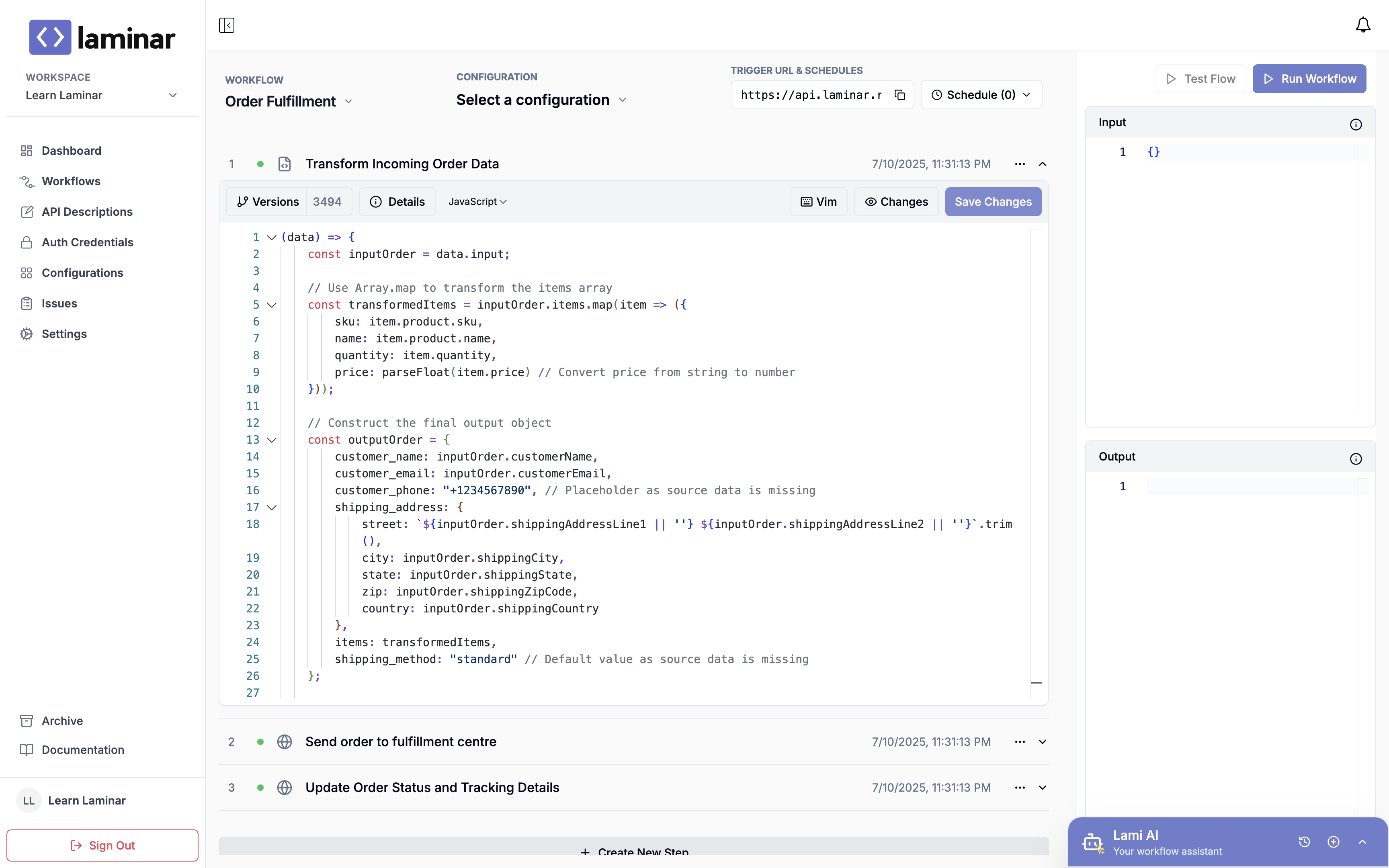
## Editing and Saving Step Programs in Laminar
Writing step programs in Laminar is fairly straightforward.
1. Click on a step to expand. The expand action will reveal an editor
2. Write your step program
3. Save your changes